USS Voucher Booking
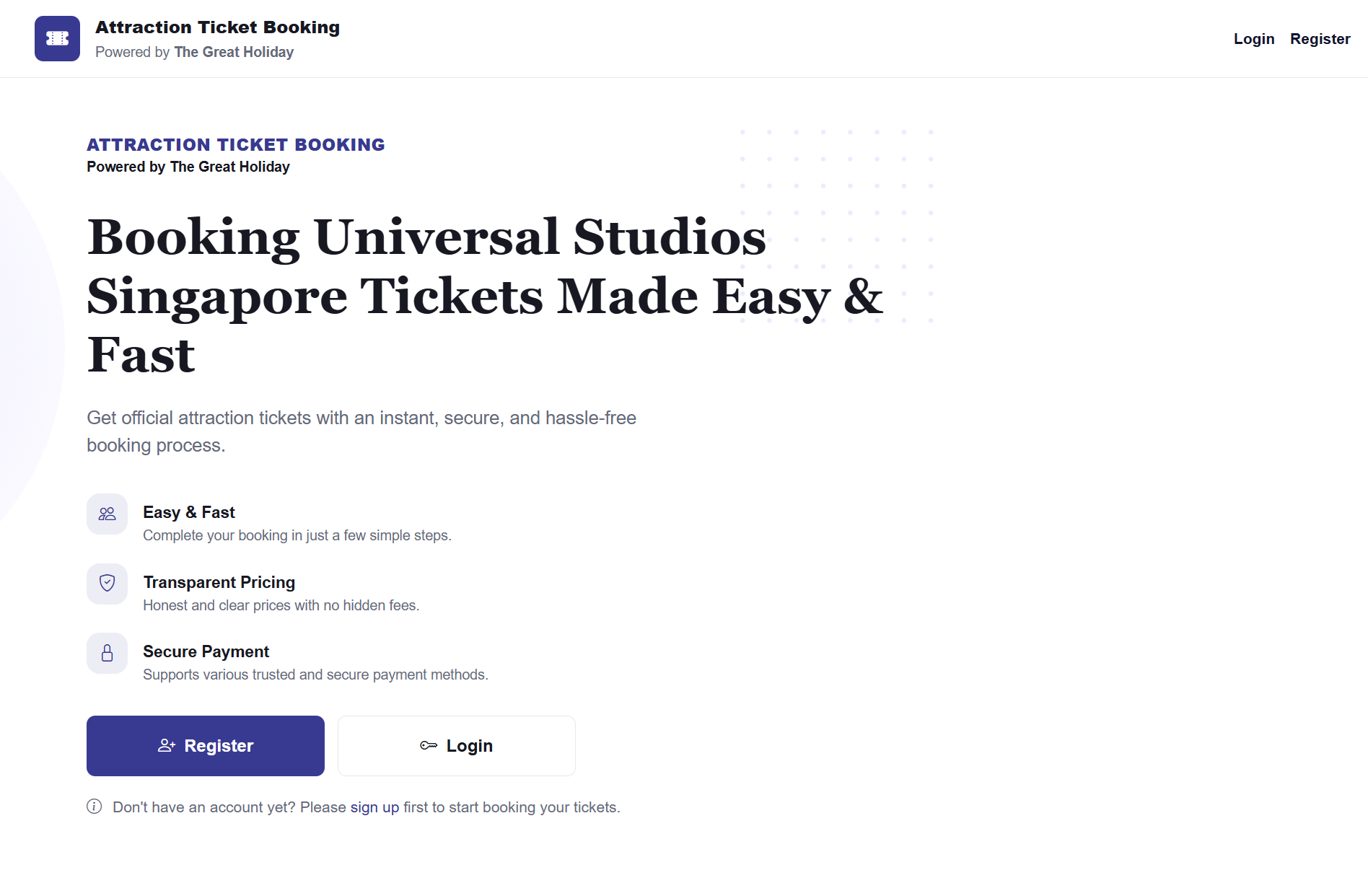
A B2B and B2C voucher booking system for Universal Studios Singapore, built from scratch to production with a payment gateway, passwordless login, and automatic WhatsApp notifications.
The client sells Universal Studios Singapore (USS) vouchers to two kinds of buyers: travel agents (B2B) and direct customers (B2C). I built one web application that serves both, from picking a date to receiving the voucher on WhatsApp, plus an admin panel for setting prices and processing orders.
- Client
- The Great Holiday, a travel agency and attraction ticket wholesaler
- My role
- Full-Stack Developer: requirements analysis, database design, backend, frontend, integrations, deployment
- Duration
- About 1 month (July – August 2026)
- Status
- Live in production
- Stack
- PHP 7.4, CodeIgniter 4, MySQL 8, Vanilla JS + CSS, Docker
- Integrations
- Xendit (payments), Wablas (WhatsApp), the client's agent portal SSO
The problem
Before this system, vouchers were sold manually. The requirements discussions surfaced five main complaints.
Prices had to be recalculated constantly
The supplier quotes in USD while buyers pay in rupiah. Every time the exchange rate moved, the selling price had to be recalculated, and agents pay a different price from customers. That left plenty of room for miscalculation and wrong charges.
Agents had to log in to too many places
Agents already had an account on the client's booking portal. They did not want to create another account and remember a new password just to buy USS vouchers.
Retail customers avoided registering
A long sign-up form and a password made customers drop out halfway through a purchase.
Payment confirmation was slow
Payments were checked by hand before an admin could process the voucher. Bookings that were never paid just hung there with no clear outcome.
Admins did not know which orders to work on
There was no single place to see who had paid and which vouchers had not been sent yet.
What the client wanted
- One system for agents and customers, with different prices for each.
- Agents enter straight from the existing portal, without logging in again.
- Customers can register and log in with just a WhatsApp number.
- Agents may hold a booking before paying; customers must pay right away.
- Payments are online and confirmed automatically.
- Admins can change the exchange rate, markup, and prices themselves, without a developer.
- Everyone gets updates over WhatsApp at every important stage.
- Technical constraint: it has to run on the client's server, which is still on PHP 7.4.
- 01Customer / Agent
Pick a ticket and date
The buyer chooses a ticket and the day they want to visit. Only dates that have a price can be picked.
- 02System
Booking is created
The system works out the price and creates the booking. Agents can hold it for a while; customers pay right away.
WhatsApp: booking details and payment link
- 03Customer / Agent
Pay online
The buyer pays on an online payment page. The payment is confirmed automatically; nobody checks it by hand.
WhatsApp: payment received, to the buyer and the admin
Not paid in time? The booking cancels itself and the buyer is told.
- 04Admin
Voucher is prepared
An admin sees the paid booking in their queue and uploads the voucher.
WhatsApp: voucher ready
- 05Customer / Agent
Voucher received
The buyer downloads the voucher from the website whenever they need it.
The admin steps in once, to upload the voucher. Everything else is done by the buyer or by the system.
The solution
Booking status: Hold / Pending payment → Confirmed → Waiting for voucher → Voucher issued, or Cancelled if it is not paid before the deadline.
Two entrances, one system
- Agents (B2B): single sign-on. An agent clicks the USS menu in the client's portal and lands directly in the application. The token is verified server to server against the portal's API, and the agent's record is created or updated automatically. The raw token is never stored, only a SHA-256 hash for auditing.
- Customers (B2C): WhatsApp OTP. Registering takes only a name and a WhatsApp number, with no password. The OTP is stored as a hash, valid for 5 minutes, single use, and limited to 5 attempts.
Pricing engine: USD to IDR plus markup
An admin only enters the base USD price per category (Adult/Child) and the period it applies to. The selling price is calculated automatically.
base_price_idr = price_usd × exchange_rate
selling_price  = base_price_idr + markup   (fixed amount or percent, different for B2B and B2C)
For example, with a base price of USD 50 and a rate of 16,000:
| Markup | Selling price | |
|---|---|---|
| Agent (B2B) | Rp 0 | Rp 800,000 |
| Customer (B2C) | 10% | Rp 880,000 |
Three things keep the price correct:
- Price snapshot. When a booking is created, the USD price, exchange rate, markup, and selling price are stored on the booking. Later changes to the rate or price only affect new bookings.
- Calculated on the server. A price sent by the browser is never trusted; the total is always recalculated on submit.
- Better to refuse than to overcharge. If the rate has not been set, there is no price for that date, or two price periods collide, the booking is rejected with a clear message.
Prices per period and a smart calendar
Prices can differ by date range, for holiday seasons for instance. The system rejects overlapping active periods for the same product and category. In the booking form, dates that do not have a price yet cannot be picked in the calendar, and B2C customers can only choose dates from D+2 onward (configurable by an admin).
Different rules for agents and customers
| Agent (B2B) | Customer (B2C) | |
|---|---|---|
| Initial status | Hold | Pending payment |
| Payment deadline (default) | 120 minutes | 30 minutes |
| Visit date limit | None | D+2 at the earliest |
An admin can change every number above from the configuration menu.
Automatic payments through Xendit
Every booking immediately gets a Xendit payment link. When the payment arrives, a webhook changes the booking status with no admin involved. The webhook is built to take abuse:
- The callback token is validated; requests without the right token are rejected.
- Every payload is logged, including rejected ones, for auditing.
- Idempotent. A duplicate callback for the same payment is ignored, not processed twice.
- A late payment does not revive a cancelled booking. The case is logged for an admin to handle.
Expired bookings cancel themselves
A scheduled job checks for bookings past their payment deadline, cancels them, marks the invoice as expired, records the status history, then tells the user over WhatsApp. The job is available both as a CLI command and as a token-protected HTTP endpoint, so it still runs on hosting that only supports URL-based cron.
Vouchers: upload once, delivered at once
An admin uploads the voucher (PDF/JPG/PNG, up to 5 MB) from the booking detail page. The status changes to Voucher issued and the user is notified over WhatsApp straight away. If a voucher needs revising, the admin just uploads again: the old version is kept, and the user always gets the latest one. Files are stored outside the public folder and can only be downloaded by the logged-in owner of the booking.
WhatsApp notifications at every stage
| Event | Recipient |
|---|---|
| OTP code for sign-up / login | Customer |
| Booking created (details + payment link) | Agent / customer |
| Payment received | Agent / customer and admin |
| Voucher ready | Agent / customer |
| Booking cancelled because it expired | Agent / customer |
Every message is logged with its delivery status. A failed WhatsApp message never cancels a transaction that has already been paid.
Admin panel
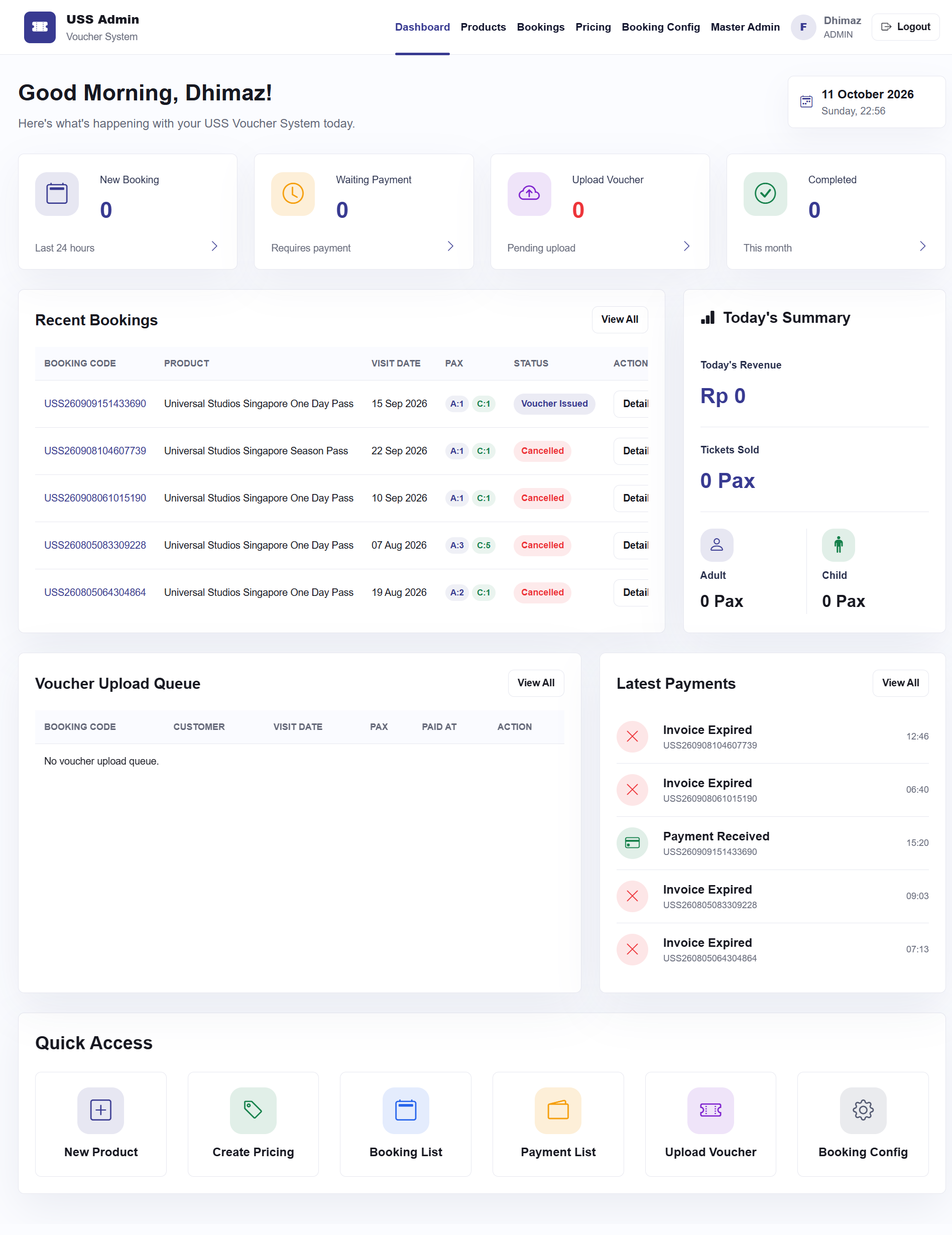
- Dashboard: new bookings, awaiting payment, the voucher upload queue, and today's revenue and pax count.
- Bookings: a list filtered by status, payment status, and date; full detail with status history.
- Products and prices: manage products, images, and price periods per pax category.
- Configuration: the USD/IDR rate, B2B/B2C markup, payment deadlines, date cutoff, and the admin WhatsApp number.
Challenges and decisions
Locked to PHP 7.4
The client's server could not be upgraded yet, so the framework is pinned to CodeIgniter 4.4 and the code avoids PHP 8 features. The upgrade path is left open for later.
No frontend framework
Pages are rendered on the server with PHP views, custom CSS, and a little vanilla JavaScript. The result is light, easy to deploy on the client's hosting, and keeps the business rules on the server; JavaScript only polishes the experience.
"Expired" is not its own status
An expired booking is stored as Cancelled with the reason Payment expired and the actor System. Reporting is simpler because every cancellation lives in one status, yet the cause stays traceable.
Thin controllers, logic in services
Pricing, bookings, payments, OTP, vouchers, and each integration have their own service. Processes that touch many tables (creating a booking, the payment callback, uploading a voucher) are wrapped in database transactions.
Testable without third parties
SSO and Xendit have a mock mode, so the full flow can be tested locally before production credentials are available.
Results
- The system is live in production and used for both agent and customer transactions.
- Agents get in with one click from the portal they already use every day.
- Customers can go from sign-up to payment without creating a password.
- Payment confirmation runs automatically; an admin only needs to upload the voucher.
- The client's team sets the exchange rate, markup, and prices themselves from the admin panel.
- Every booking has an audit trail: status history, the payment webhook log, and the notification log.
Lessons
Money needs a snapshot
Storing the rate and markup on every booking felt excessive at first, but it is what keeps old data correct when prices change.
Assume a webhook arrives twice, late, or forged
Designing for those three cases from the start is far cheaper than repairing the data afterwards.
The client's technical constraints are part of the design
PHP 7.4 and simple hosting shaped many decisions, and a simple solution that runs there is worth more than a sophisticated architecture that cannot be deployed.
What's next
- Quota / stock per visit date.
- Automatic retries for failed WhatsApp notifications.
- More detailed admin roles and permissions.
- A refund and user-initiated cancellation flow.